Free iPhone for Seniors: Every Honest Way to Qualify
A free government iPhone is not just for young families. Through the federal Lifeline program, many older Americans qualify for a free iPhone and a monthly discount of $9.25 on service, or $34.25 on Tribal lands. This guide walks through every route that works for seniors, in plain language, and helps you pick the easiest phone to live with.
If you are on a fixed income, a phone bill is one more thing competing with groceries, medication and heating. That is exactly why Lifeline exists. It is a long-running federal program that discounts phone service for people who need help affording it, and people over 65 are among its biggest groups of users.
With us, an approved application means a refurbished iPhone SE or iPhone 7 at no cost, plus a plan from $10 a month after the discount on our plans page. There is no contract, and you are never asked to pay for the phone itself. Below are the four ways seniors most often qualify.
The 4 Routes That Work for Seniors
You only need one of these. If you receive any of the benefits in the first three cards, you qualify automatically. If not, the income route in the fourth card still covers a great many retirees.
1. Supplemental Security Income (SSI)
If you receive SSI, you qualify automatically. SSI is the monthly payment for older and disabled Americans with limited income and savings. It is different from regular Social Security retirement benefits, and it is the one that counts for Lifeline.
2. Medicaid
Medicaid enrollment qualifies you on its own. This includes people who are dual-eligible, meaning you have Medicare for your hospital and doctor coverage and Medicaid helping with costs on top. If Medicaid pays any part of your care, this route is open to you.
3. Veterans Pension
A VA pension qualifies you, including the Survivors Pension for a spouse. If you served and now receive a pension, keep your VA award letter handy for the application. Our separate guide to a free iPhone for veterans covers the details for former service members.
4. Your Income
No benefits needed. If your household income is at or below 135% of the federal poverty guidelines, you qualify by income alone. For 2026 that means up to $21,546 a year living alone, or $29,214 for a household of two, which covers most retired couples. Social Security payments count as income here, so many people who get “only” a pension check still fit under the line.
One honest note: Social Security alone does not qualify
Regular Social Security retirement benefits are not on the Lifeline list, and neither is SSDI disability pay by itself. It is SSI that counts, which is a different program with a similar name. Please do not let that stop you. Plenty of seniors who receive only Social Security still qualify through the income route above, because the limit is generous. It takes about a minute to check your eligibility properly.
Which Free iPhone Suits You Best?
Both of our free phones are refurbished, tested and cleaned before they ship, and both are simple to use. For most seniors, we recommend the iPhone SE. It unlocks with your fingerprint using Touch ID, so there are no passwords to remember every time you pick it up. It is compact and light in the hand, and because it still runs the current version of iOS, your banking app, pharmacy app and doctor’s portal will keep working and keep receiving security updates.
The iPhone 7 is the other free option. It has the same fingerprint button and the same comfortable size, and it is a fine choice for calls, texts, photos and FaceTime. It runs iOS 15, an older system, so a few newer apps may not install. If apps matter to you, pick the SE.
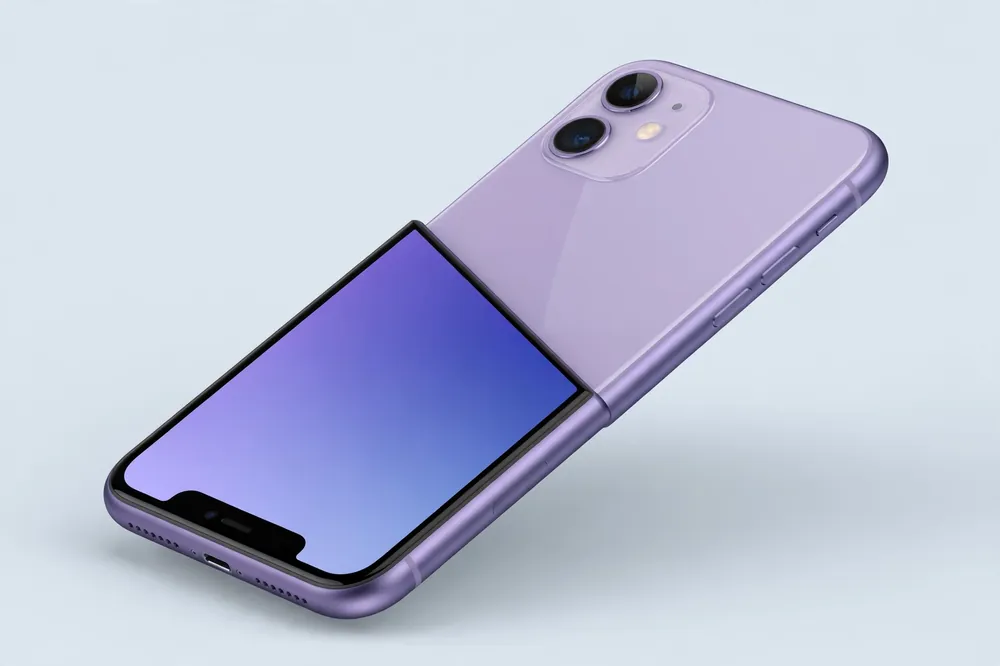
If reading small text is your main frustration, consider the discounted iPhone 11 instead. It is not free, and we will confirm its exact price after approval and before you pay anything. Its larger screen makes messages, news and video calls noticeably easier to read.
Set It Up So It Is Easy to Use
Every iPhone has accessibility features built in at no cost. When your phone arrives, these are the ones worth turning on first. A family member can help you, or our support team can walk you through them.
- Bigger text and Display Zoom: makes every word on screen larger, including menus and messages
- FaceTime: free video calls with children and grandchildren, over Wi-Fi or mobile data
- Medical ID: stores your conditions, medications and emergency contact where first responders can see them, even on a locked phone
- Emergency SOS: hold the side button to call for help and alert your emergency contacts
- Hearing-aid friendly: iPhones pair with most modern Bluetooth hearing aids and work well with the hearing devices most people already wear
How to Apply, Step by Step
Step 1: Check first. Use the quick checker on our eligibility page. It takes about a minute and tells you honestly whether a route fits you.
Step 2: Gather two things. You will need a photo ID, such as a driver’s license or state ID, and proof of your route: a benefit award letter for SSI, Medicaid or a VA pension, or income documents if you are applying by income.
Step 3: Apply in your own name. A son, daughter or grandchild is very welcome to sit with you, read this page aloud and help you type. The application itself must be in your name, because the benefit belongs to you. You can start on our apply page whenever you are ready.
Step 4: The National Verifier decides. Lifeline applications are approved by the National Verifier, the federal system, not by us. Once approved, we ship your phone with a SIM kit and simple activation instructions. Keep the service active by using it at least once every 30 days, and complete the short recertification once a year to keep your discount. Our Lifeline program page explains those rules in full.
Senior FAQs
I only get Social Security. Do I qualify?
Not through the benefit itself, because Social Security retirement pay and SSDI are not on the Lifeline list. But you may well qualify by income: Social Security counts as income, and the 2026 limit is $21,546 a year for one person or $29,214 for two. Many retirees fall under that line. It costs nothing to check on our eligibility page.
Is the phone hard to set up?
No. Your iPhone arrives with a SIM kit and plain instructions, and most people are making calls the same day. If you get stuck, a family member can help, or contact our support page and we will talk you through it step by step. The SE and 7 both unlock with your fingerprint, which makes daily use simple.
Can my daughter apply for me?
She can help you as much as you like: reading, typing and gathering documents. But the application has to be in your name, with your details, because the Lifeline benefit is yours personally. That protects you, since the account and the phone stay under your control.
Will it work with my hearing aids?
In most cases, yes. iPhones are hearing-aid compatible and pair with most modern Bluetooth hearing aids, streaming call audio straight to your ears. If you use older hearing aids, the loud, clear speaker and the volume controls still make calls easier. Tell our support team your hearing-aid model and we will confirm before you commit.
What if I already have a Lifeline home phone?
Lifeline allows one benefit per household, on one service at a time. You can transfer your benefit from a home phone to a mobile phone with us, so the discount moves to the service you actually use. You just cannot claim the discount on both at once.
See If You Qualify, It Takes a Minute
Answer a few simple questions and we will show you honestly whether a free iPhone route fits you.
Check Your EligibilityThe iPhone is a private wireless service provider participating in the FCC Lifeline program. We are not a government agency. Lifeline provides a $9.25 monthly service discount ($34.25 on Tribal lands), limited to one benefit per household, and eligibility is decided by the National Verifier. Free phones offered are refurbished iPhone 7 and iPhone SE models, subject to eligibility, approval and stock. The Affordable Connectivity Program (ACP) ended on June 1, 2024.